
TL;DR
- I bought nine Dell OptiPlex all-in-ones (a mix of 7760 and 7780) in one government surplus lot for $1,209.37 all-in, about $134 a unit. Tax and shipping were zero; I picked them up myself.
- They run Debian 13 with a LUKS-encrypted root that unlocks through the TPM, Secure Boot on, and a signed NVIDIA module. Getting all three to coexist was most of the work.
- Eight of them joined my second, small k3s cluster (the “office cluster” at the shop where I do resale and bench work) as workers. Together they add 96 cores and 170 GiB of allocatable memory to a cluster whose three agent VMs had 12 cores and 23 GiB between them.
- The join is a dedicated Ansible playbook that reuses the existing
k3s_agentrole. One canary first, then the other seven in two waves. - I didn’t measure power draw on these, so there’s no watts figure in this post. The older OptiPlex desktop cluster number doesn’t transfer.
Why all-in-ones
Most of what I buy for the hobby that funds the hobby is resale stock. This lot was different: nine machines, all wiped, “last powered on six months ago”, sold as-is, pickup by appointment at a school. The seller doesn’t box or ship. The hammer price was $1,075.00, plus a $134.37 buyer premium. I allocated the cost per unit in the inventory database and marked all nine as kept rather than for sale.
I’d already run the numbers on small cluster nodes in the OptiPlex k3s post. The all-in-one version of the same idea has two things going for it:
- An 8th-gen or 10th-gen desktop i7 in the box, which is a lot more CPU than a three-VM cluster on small hosts has.
- A 27-inch screen, an NVMe drive and a GPU that I’d get anyway.
The screens turned out to be the more interesting half, and I wrote them up in the previous post. This one is about making them honest cluster nodes.
What I actually have
From the listing and what the machines report once they’re up:
| Model | CPU | GPU | Driver that works |
|---|---|---|---|
| OptiPlex 7760 AIO | i7-8700 (6C/12T) | GTX 1050 Mobile, Pascal | Debian’s packaged NVIDIA 550 |
| OptiPlex 7780 AIO | i7-10700 (8C/16T) | GTX 1650 Mobile, Turing | NVIDIA’s own nvidia-open 610 |
Per the listing, each has 27 inches of screen, 16 GB of RAM and a 1 TB NVMe drive. The listing said six 7760s and three 7780s. The fleet I ended up with is five 7760s and four 7780s so the listing’s split was off. I didn’t mind.
Eight go into the cluster. The ninth is a workstation and runs Docker, which on a k3s node I’d avoid. Docker’s iptables FORWARD policy fights the cluster’s networking, so the k3s nodes use Podman.
Dell OptiPlex 7780 All-in-Ones turn up in surplus lots from time to time. Read the gallery photos before you bid, because as above, the listed model split isn’t guaranteed.
Base image: Debian 13, LUKS, TPM, Secure Boot
Every unit gets the same base:
- Debian 13 (trixie) with GNOME. The screens are the point, so these are desktops that also happen to be nodes, not servers with the monitor unplugged.
- LUKS2 root, unlocked by the TPM via Clevis, sealed to PCR 7. These sit in an office. If someone walks out with one, the disk is gibberish. If power blips, they come back without anyone typing a passphrase.
- Secure Boot on, with kernel lockdown in
integritymode. - Two NICs. The wired one carries cluster traffic. The WiFi one is the out-of-band management path, so unplugging a cable doesn’t also cost me Ansible access.
Lockdown mode is where the GPU gets interesting. It refuses unsigned kernel modules. The NVIDIA driver is built locally through DKMS, so it has to be signed with a machine owner key (MOK) that’s enrolled in firmware. A kernel update rebuilds the module, so the signing has to be automatic, and the patch playbook (more on it in a follow-up about what went wrong) refuses to reboot into a kernel whose NVIDIA module isn’t signed.
Two GPUs, two drivers
The 7760s were easy: Debian’s packaged nvidia-driver 550 works as installed. The 7780s were not. The same package fails to initialise the Turing GPU with an RmInitAdapter error, and for a little while I assumed the GPUs were bad. They weren’t. NVIDIA’s own repository ships nvidia-open 610, which runs them fine.
So the fleet has a split by architecture: Pascal on the 7760s, Turing on the 7780s. Anything that schedules GPU work onto these has to care which one it lands on.
Joining the cluster
The office cluster is three standalone Proxmox hosts, one k3s server VM and three agent VMs, built with Terraform and Ansible. The panels had to join without anyone re-running server configuration against a live control plane.
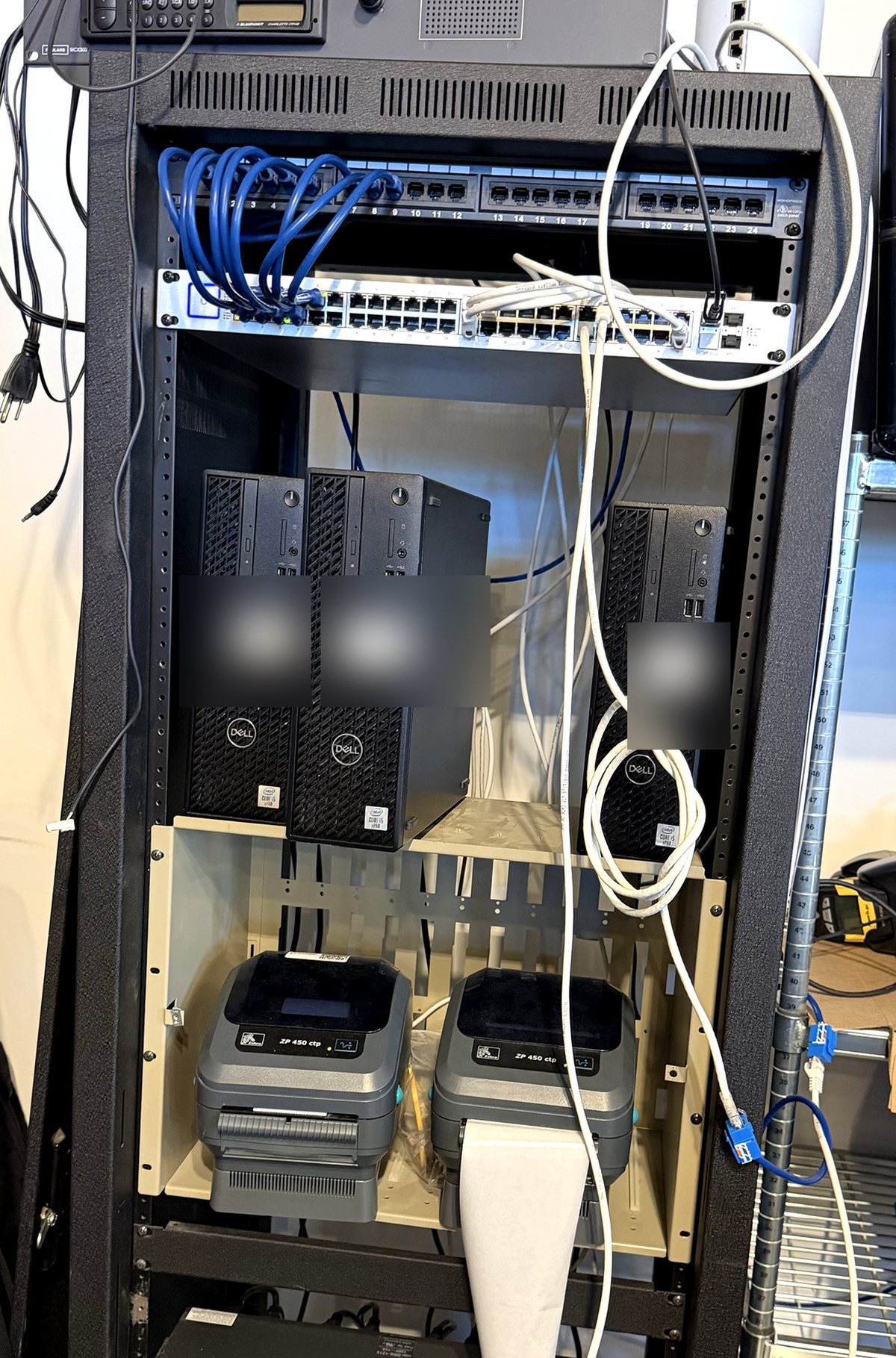 The three small Proxmox hosts the original VMs live on. Before the panels joined, this was the whole cluster.
That rules out the normal site.yml, which runs the server role first. Instead there’s a dedicated playbook and a small inventory file that lists the server plus the panels. The playbook only reads the join token from the server, then configures each panel with the existing k3s_agent role. I didn’t write a second way to install k3s. I passed arguments to the first one.
Before the role runs, the playbook:
- Installs the Longhorn host prerequisites (
open-iscsi,nfs-common) and startsiscsid. The panels were imaged as desktops and never ran the role that installs these. Longhorn’s manager dies loudly without them. - Asserts the wired interface has an IPv4 address, then pins
--node-ipto it.
The k3s arguments are a short list:
k3s_extra_agent_args: >-
  --node-ip={{ _aio_node_ip }}
  --node-label=example.io/form-factor=aio-panel
  --node-label=node.longhorn.io/create-default-disk=config
And a config file with the reservation that protects the desktop session:
kubelet-arg:
  - "system-reserved=cpu=1500m,memory=4Gi"
That reservation is the real guard. The kiosk and GNOME need memory, and the kubelet’s system-reserved is a hard guarantee, not a scheduling hint. I sized it from measurement: with the wall live, each panel uses about 3.5 GiB in total and the load average is between 0.1 and 0.9 on 12 to 16 CPUs. I started at 3 GiB, which was below what the machine actually uses, so it wasn’t a guarantee at all. It’s 4 GiB now.
After the install, post-tasks read back the installed unit file and the config and assert the label and the reservation actually landed. (The real label key is under my own domain; I’ve swapped in example.io.) The follow-up post explains why that check exists.
Canary, then the fleet
One panel went first and sat as a canary for five days. The other seven followed in two waves. In hindsight the canary was quieter than it should have been: the cluster’s node-exporter DaemonSet crash-looped on it the whole time, because the panel already ran a host exporter on the same port, and nobody noticed for four days, until the fleet joined and it became eight crash-looping pods. A canary only tells you about what you’re watching. The rollback for a unit is the stock k3s uninstall script plus deleting the node object. The kiosk runs in the desktop user session, completely separate from the kubelet, so neither step touches it.
The NVIDIA device plugin went on the same day the fleet joined, so GPU pods can ask for nvidia.com/gpu, and each panel gets a Longhorn disk from the label at join time.
What it did to the cluster
Before the join, the three agent VMs had 12 cores and 23 GiB allocatable, and the busiest of them was at 72 percent of CPU requests. Eight panels added 96 cores and 170 GiB. They’re most of the cluster’s compute now.
What I can’t tell you is what any of this costs to run. I didn’t put a meter on them. The panel itself will dominate idle draw on an all-in-one, but that’s reasoning, not data.
What I’d do again, and what I wouldn’t
Do again: one playbook per job, canary before fleet, post-join assertions that read the installed system rather than trust the exit code. Buy surplus AIOs when the lot price is under about $150 a unit and you want screens too.
Wouldn’t: assume your first design decisions are right. The taint I started with left those 96 cores running zero workload pods, and that story is in the follow-up.